User Guides
Request to Publish an Institutional Pay-Later Coursepack
As a collaborator, TA could manage the coursepack in the same way as the instructor.
An Institutional Pay‑Later Coursepack allows the instructor to teach the Coursepack first and settle payment at a later time, such as after the course ends or once enrollment numbers are confirmed.
Under the Institutional Pay‑Later scheme, any instructor, collaborator, or administrator who created the Coursepack must submit a publishing request to a designated Payment Administrator from their Programme or department.
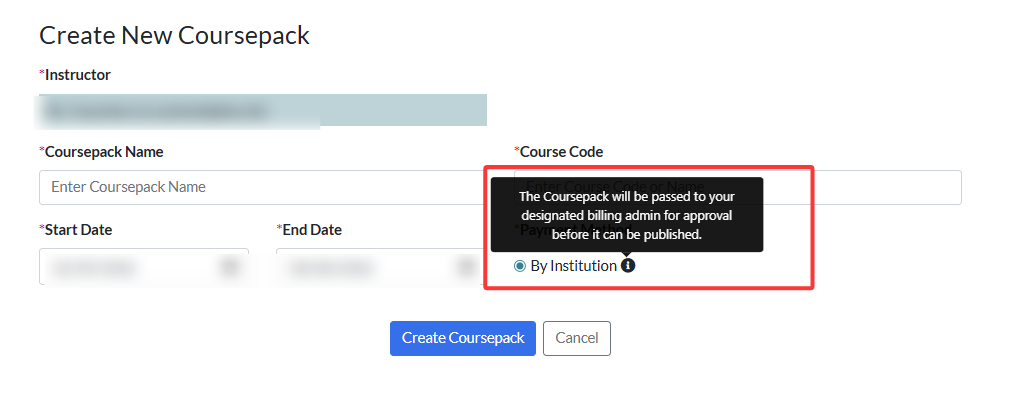
To submit a Coursepack for approval, go to the Coursepack page and click Submit Coursepack for Approval.
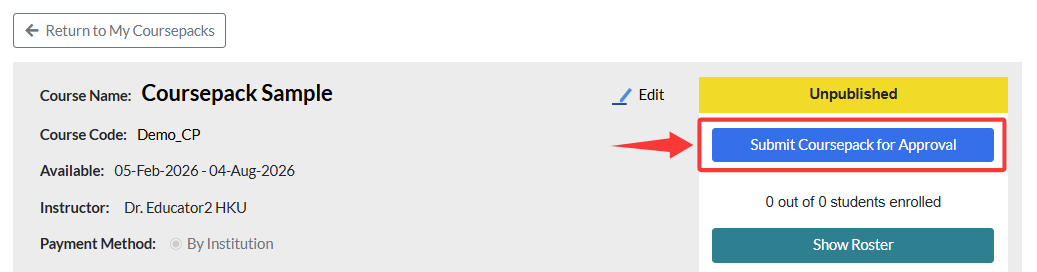
Verify the Coursepack information, including the name, course code, and start and end dates.
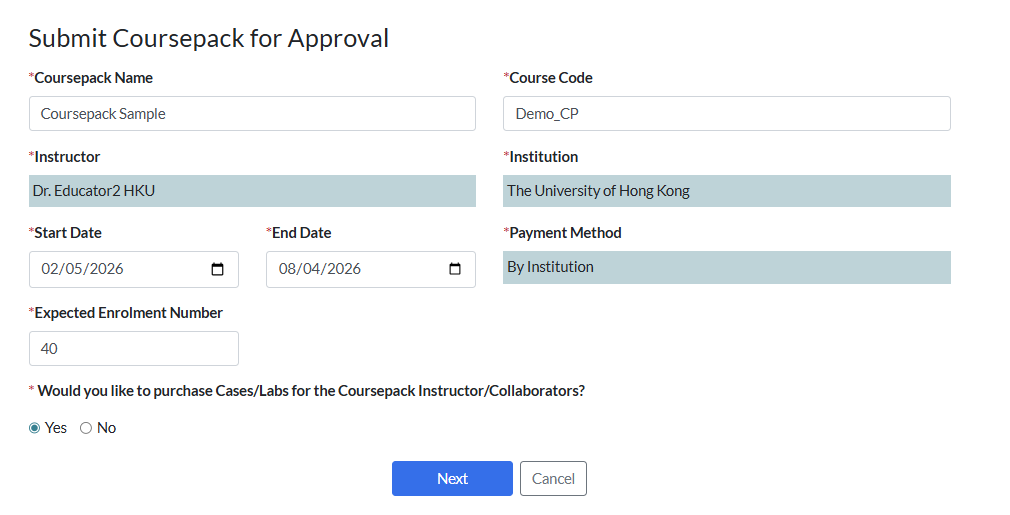
Expected Enrolment Number
If you do not know the exact number of students, enter your best estimate. You can confirm the actual enrolment when you process the Coursepack payment later.

Purchase Coursepack Material for Instructors/Collaborators
This option allows you to purchase educator copies of the cases and labs for Coursepack instructors and collaborators.
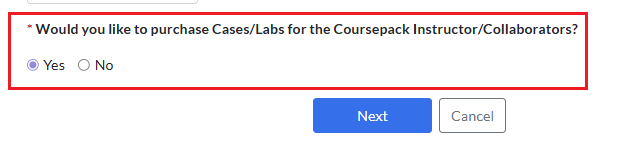
If you select Yes and click Next, you will be taken to a page where you can choose which items to purchase for each instructor or collaborator.
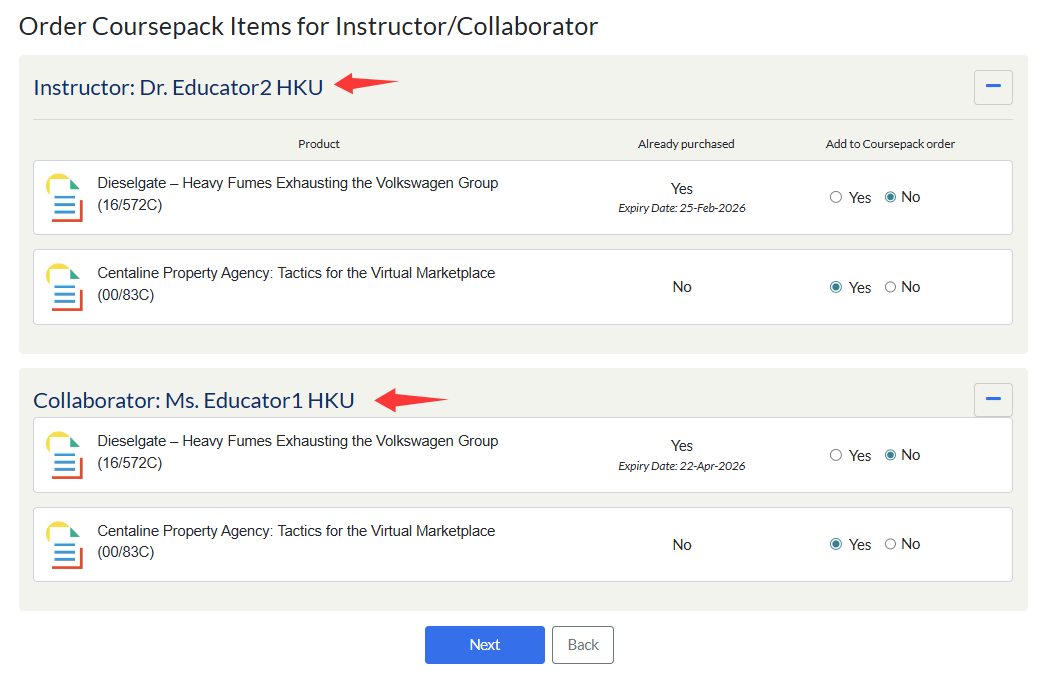
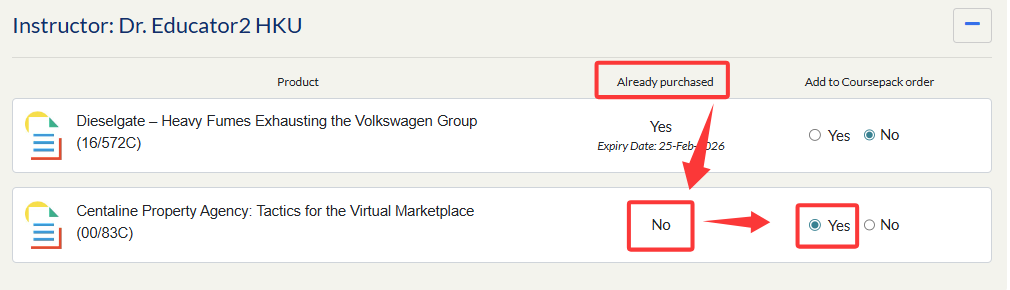
If the instructor has already purchased these cases and the licenses are still active, No will be automatically preselected. You may change this to Yes if you wish to extend the license period.

For any contents that have not yet been purchased, the option will default to Yes.

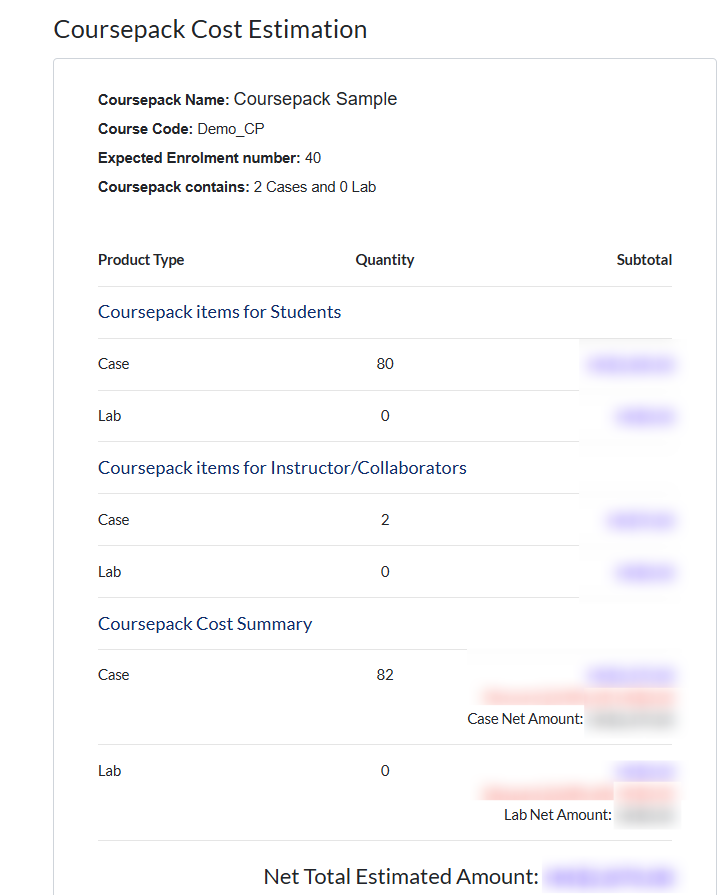
Click Next to view an estimated cost summary for the Coursepack materials. This estimate is based on the expected enrolment number. Your actual cost will be calculated once enrolment is finalized, and you will be able to verify the final amount at that time.
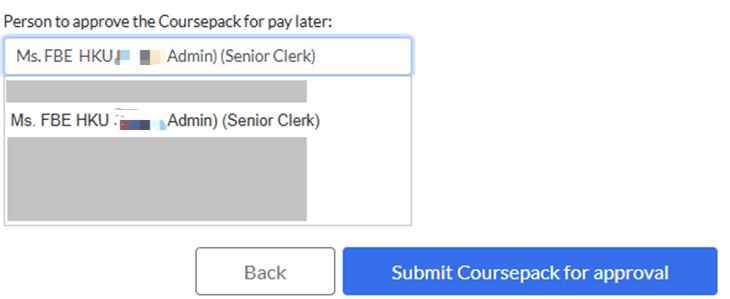
At the bottom of the page, click Select Approver to open a drop-down list.
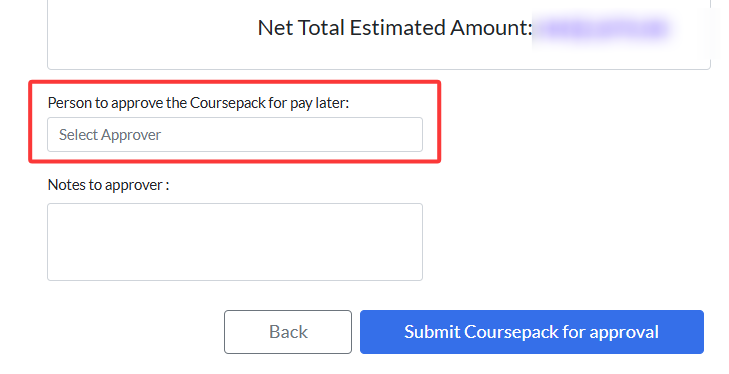
From there, select a Payment Administrator within your Programme to approve your Coursepack request.,Once selected, click Submit Coursepack for Approval to proceed.
You will be redirected to the Coursepack page, where the status will update to Pending Approval by <designated payment admin>.
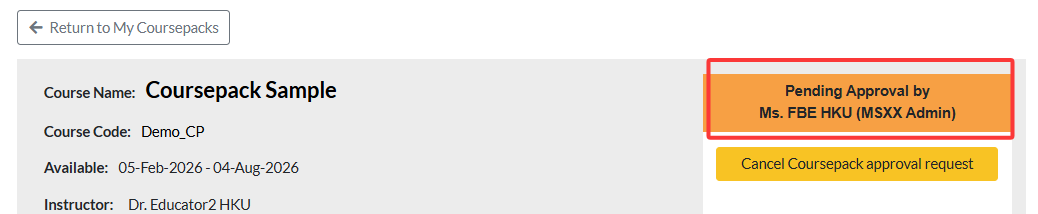
The designated payment admin will receive an email notification prompting them to process your request. Once approved, the Coursepack status will update to Published, which means it is ready for student enrolment.

Then, any instructor, collaborator, or Coursepack creator can open enrollment and access the enrollment link to share with students.