User Guides
Duplicate a Coursepack
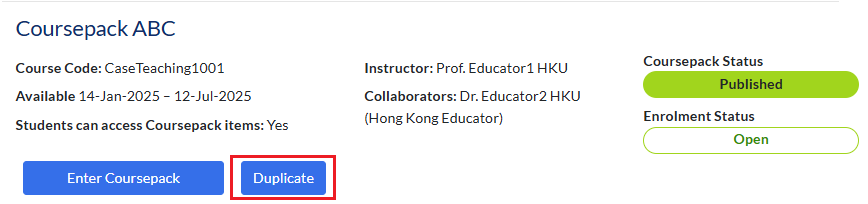
You can reuse an existing Coursepack to save time when preparing for future classes. Find the Coursepack you want to copy and click Duplicate.
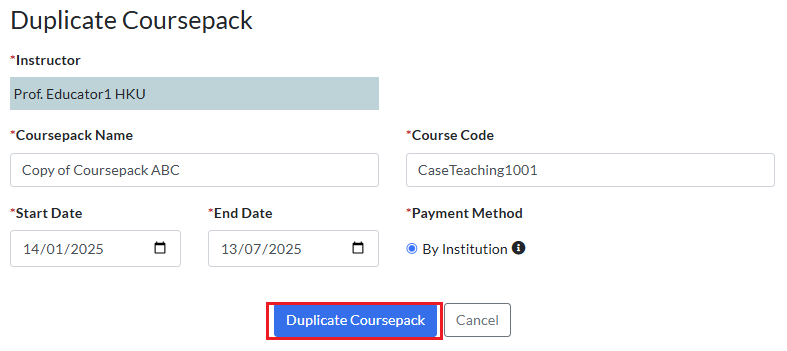
Fill in the Coursepack information, then select Duplicate Coursepack.
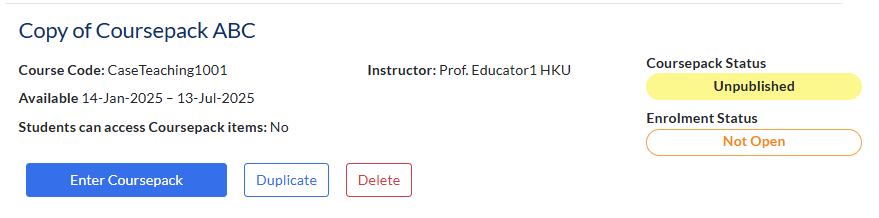
The new Coursepack will appear on your My Coursepacks page.
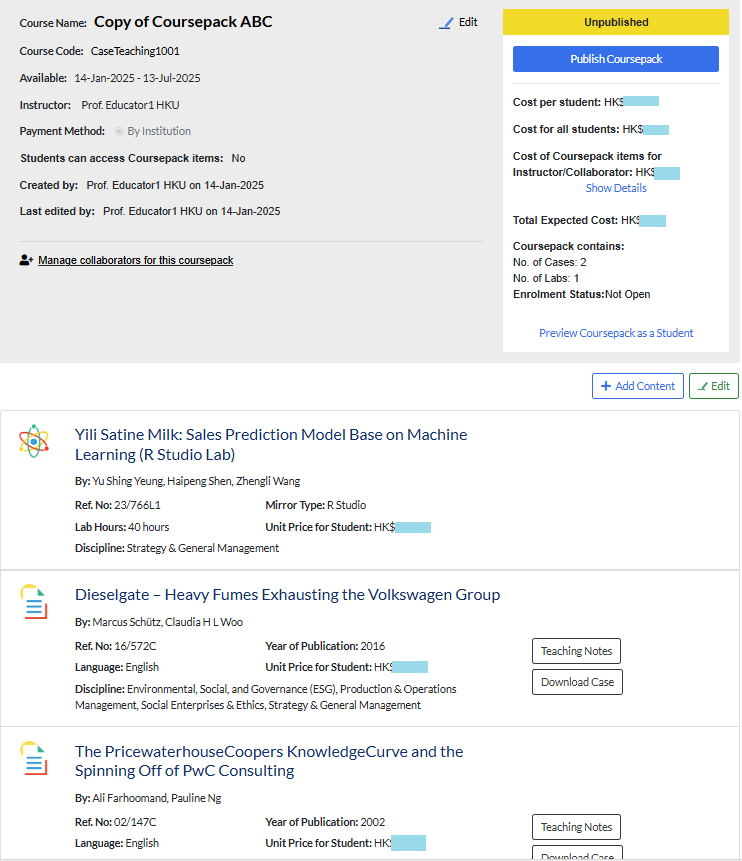
The duplicated Coursepack includes all the same materials as the original. You can add new materials, remove existing ones, and make any changes needed to tailor the pre‑filled Coursepack to your new teaching objectives.