User Guides
Top Up a Personal Lab
When your lab hours run out, simply purchase another copy of the Lab. The new hours will be added to your existing lab, and your access period will be extended accordingly.
Here are 3 ways to top up a personal lab:
Method 1: Top up at the Lab Starting Page
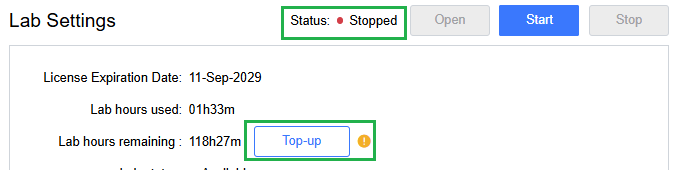
Before you top up, make sure the lab status is “Stopped”. Click the Top-up button located near “Lab hours remaining”.
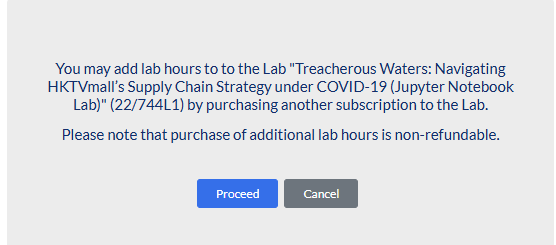
Click Proceed and the additional hours will be added to your Shopping cart.

After your payment is completed, your lab hours are added automatically. To see the update, go back to the lab start page and re-open it.
Method 2: Top up at the “My Library” page
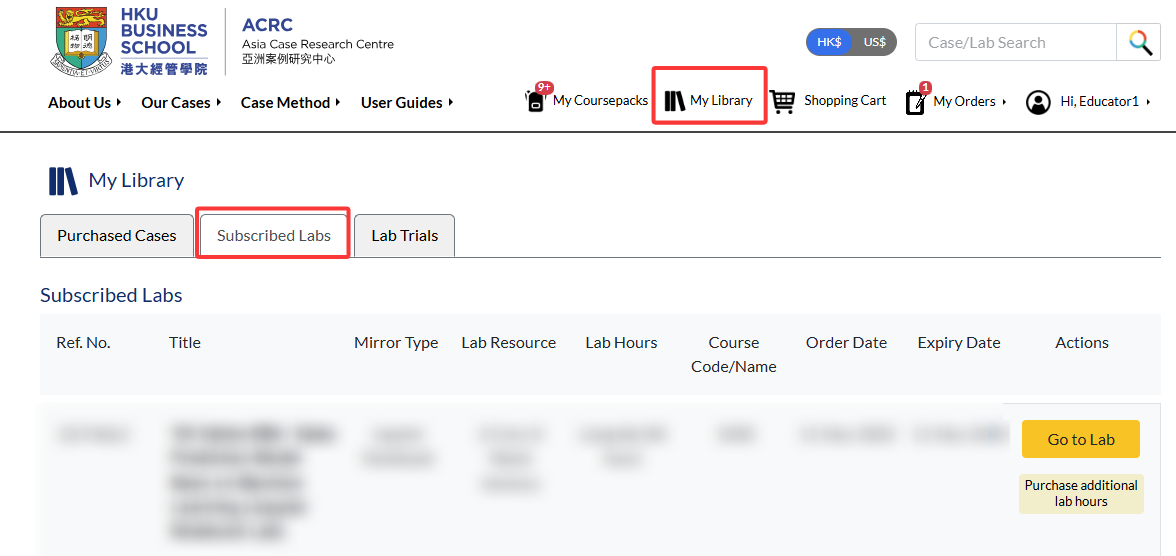
Go to “My Library” > “Subscribed Labs”.
Next to each lab, click Purchase additional lab hours. The additional lab hours will be added to your Shopping Cart.

Click Proceed to checkout to complete the purchase.
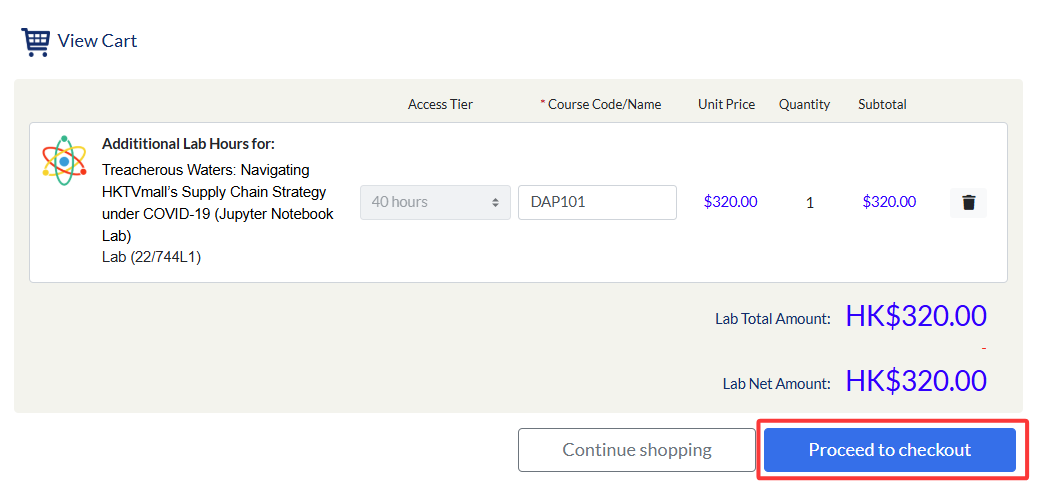
Then go back to the lab start page and re-open it.
Method 3: Top up at the “Coursepack Details” page
If you are using the lab in an institution-pay coursepack, you can also top up the lab by adding an additional lab copy. The operation is similar as ordering a personal lab. Please refer to Order a Personal Lab (Method 2: Purchase lab in a Coursepack).