User Guides
Order a Personal Lab
Personal Lab is a dedicated lab environment for educators to explore sample solutions, teach in class, or review student work. You can purchase different tiers of lab hours based on your need. If you use up your lab hours, you can top up to extend the access. Unlike trial version, your files in the personal lab will be kept.
Once purchased, lab hours cannot be exchanged for another tier or refunded. Please confirm your selection before placing an order.
Method 1: Purchase via shopping cart
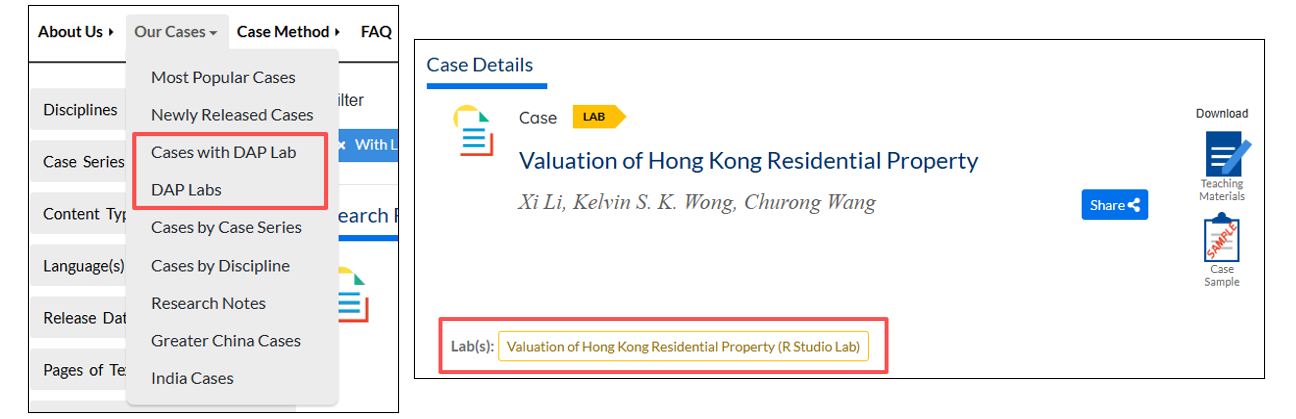
You can search for the lab that you are interested in with the title, or just search by the key word “lab”:
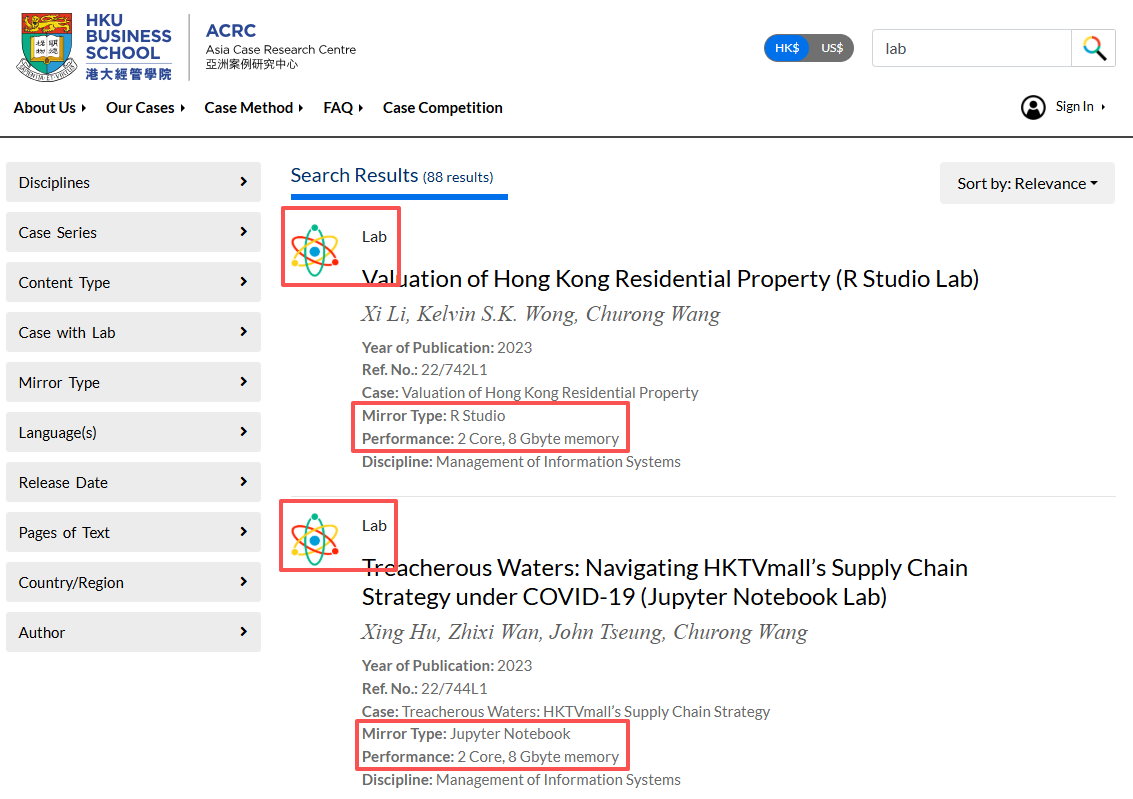
Labs can also be filtered out using the filter Cases with DAP Lab and DAP Labs. The case and lab are linked on the details page.
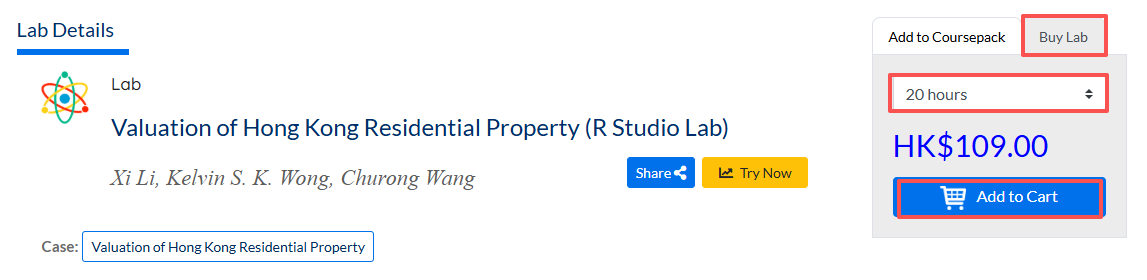
Once you find the correct version, go to the Lab Details page. Go to the Buy Lab panel, select your preferred access hour tier, and click Add to Cart.
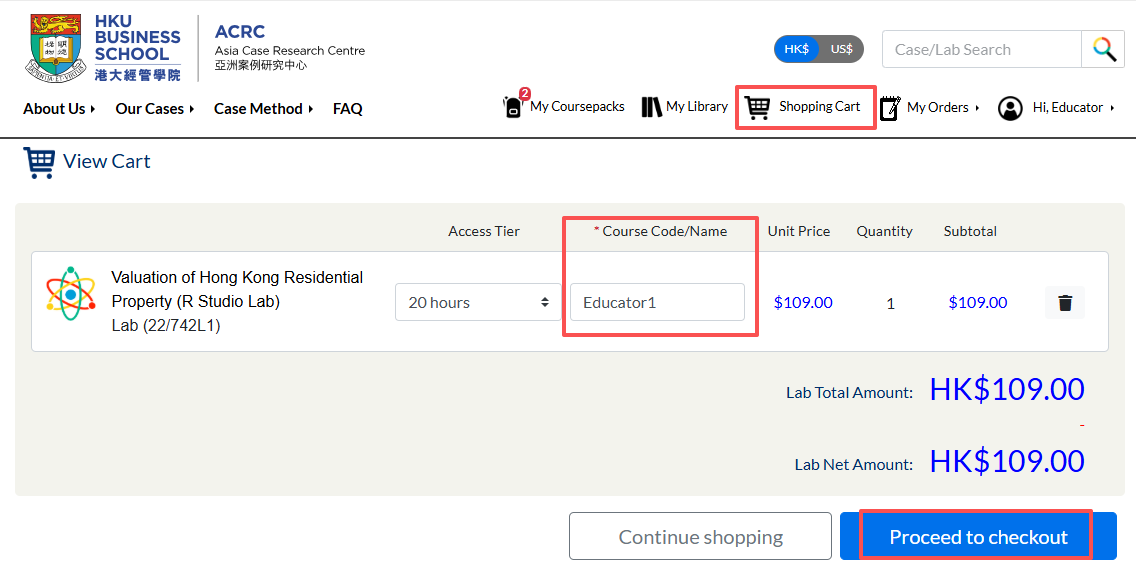
In the Shopping Cart page, confirm the lab version carefully — it cannot be changed or refunded after purchase. Then, fill in the required Course Code/Name to complete checkout.
Method 2: Purchase in a Coursepack
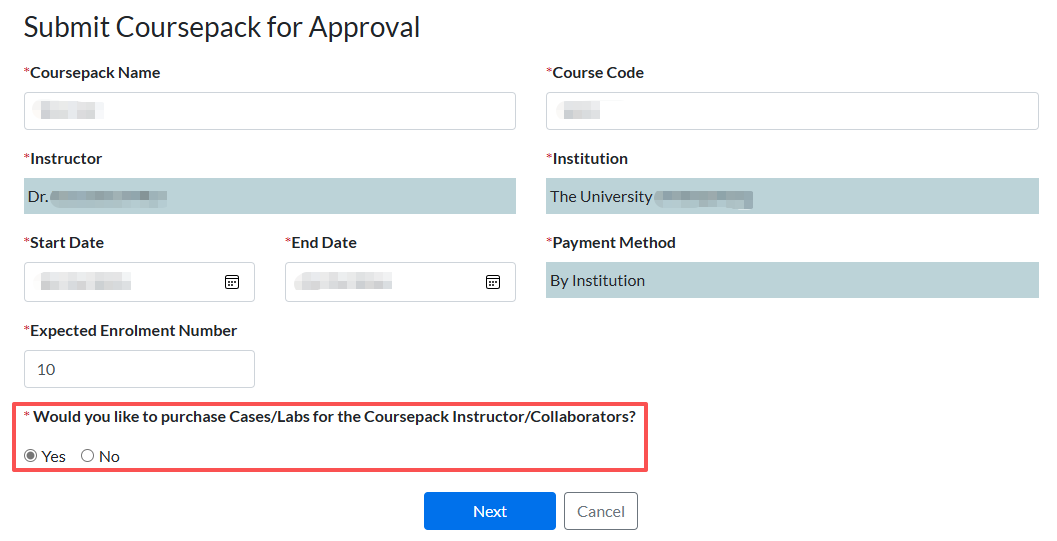
For institution-paid Coursepacks, instructors and collaborators can purchase personal labs or top up lab hours directly during the Coursepack ordering process.
Before publishing the coursepack, find “Would you like to purchase Cases/Labs for the Coursepack Instructor/Collaborators?”
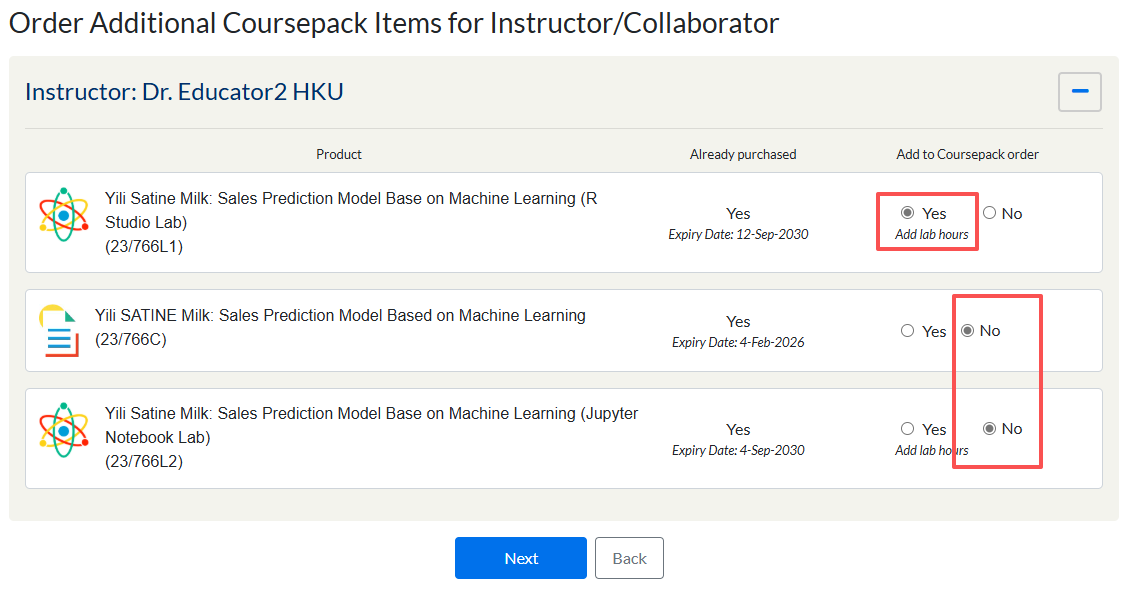
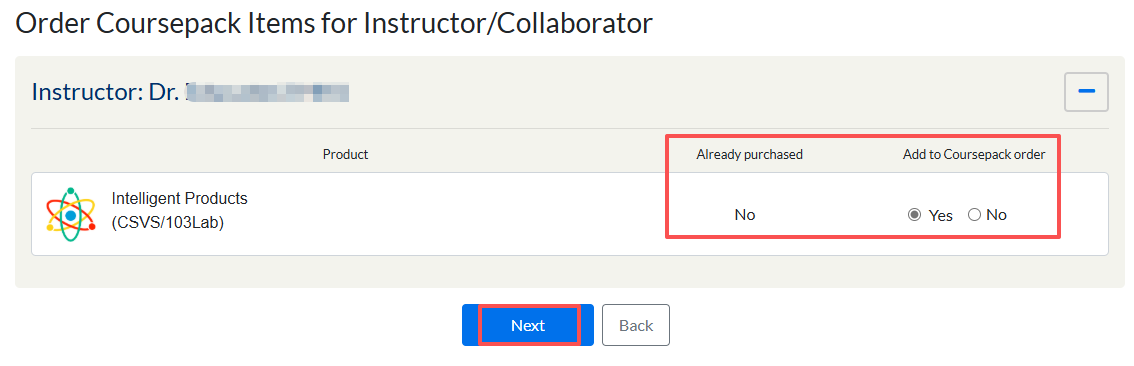
On ordering page, the system will provide a list of current contents and check if the user owns it or not for reference. With choosing “Yes,” a personal lab for the selected user will be added to the coursepack order. Then you can click Next to preview the order.
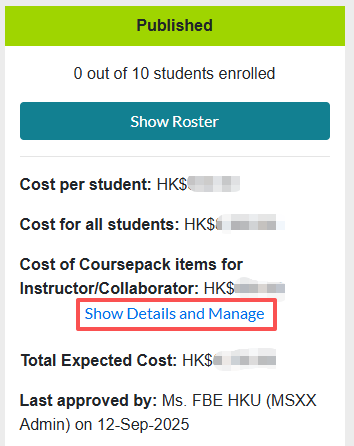
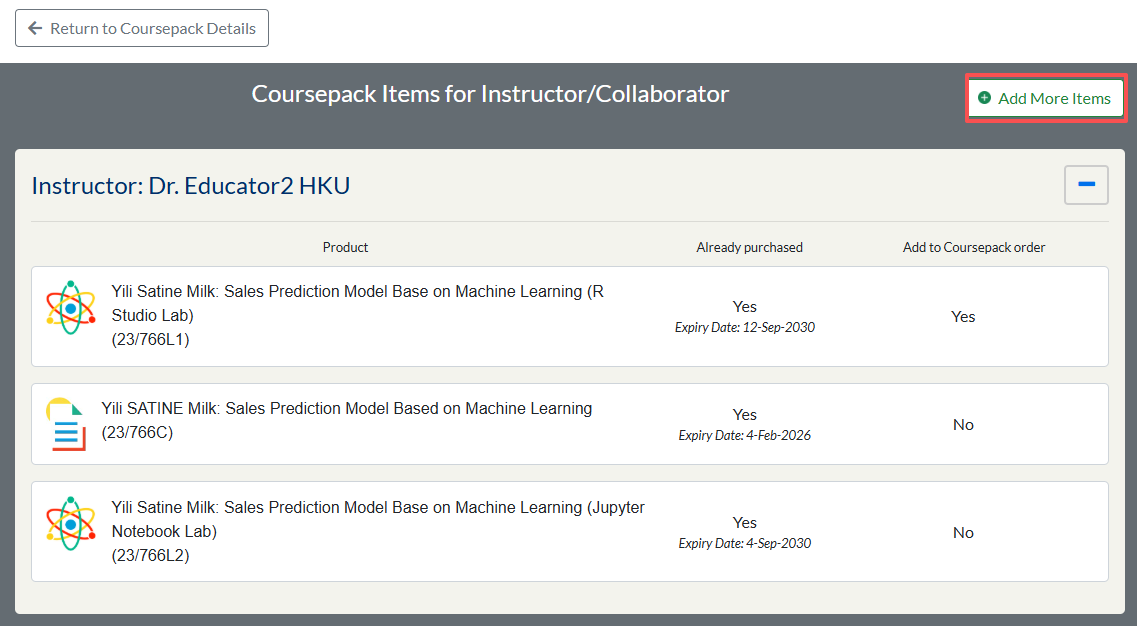
If you want to add additional copy for the instructor or collaborators after publishing a coursepack, you can click Show Details and Manage in the coursepack details page and click “Add More Items” to order more items together with the coursepack.