User Guides
Monitor Student Lab
The DAP system tracks students’ lab usage to help educators better understand learning behaviors. Under the “Monitor Lab” tab, you’ll find a summary of each student’s activity, showing login time, IP address, lab hours, and more.
Check Students' Lab Activities
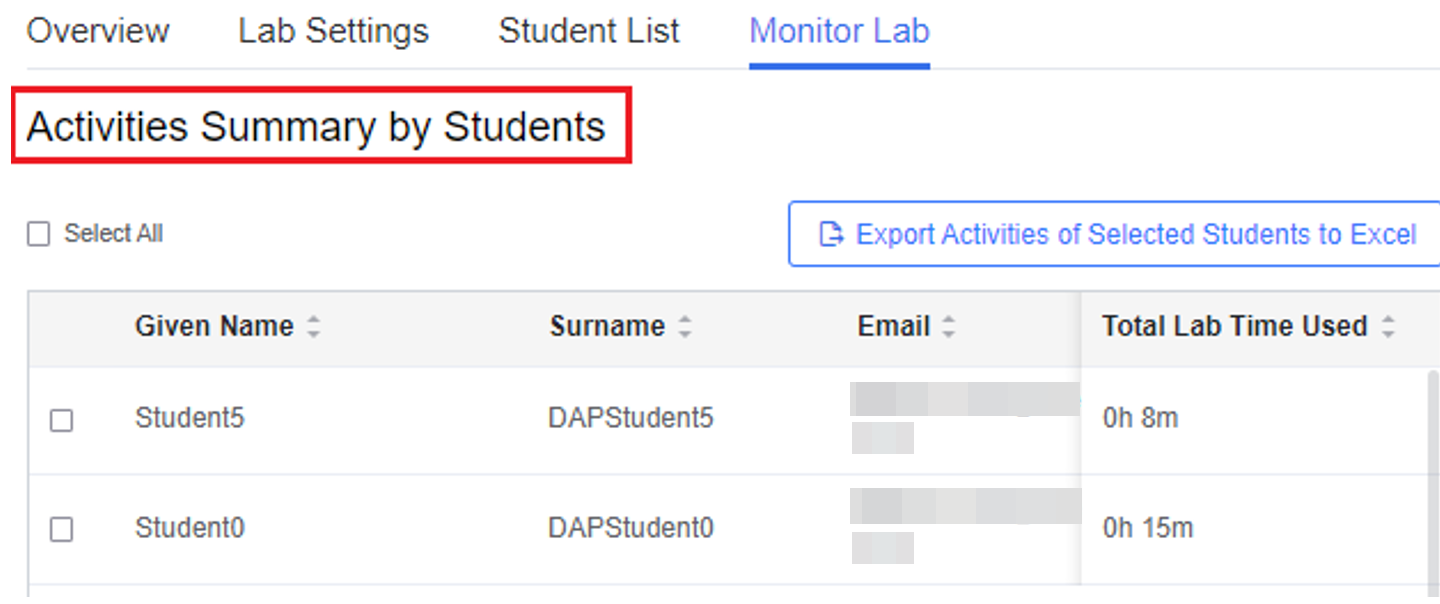
Individual lab mode
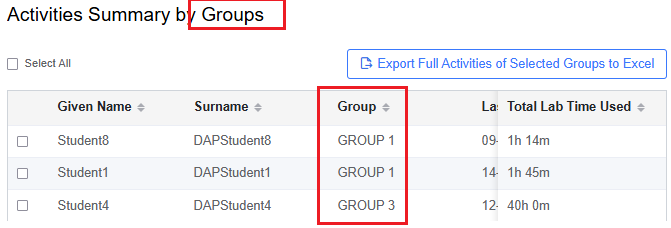
Group lab mode
Only the latest record is shown on the page. To view the full activity history, click Export Activities of Selected Students to Excel to download a complete report.
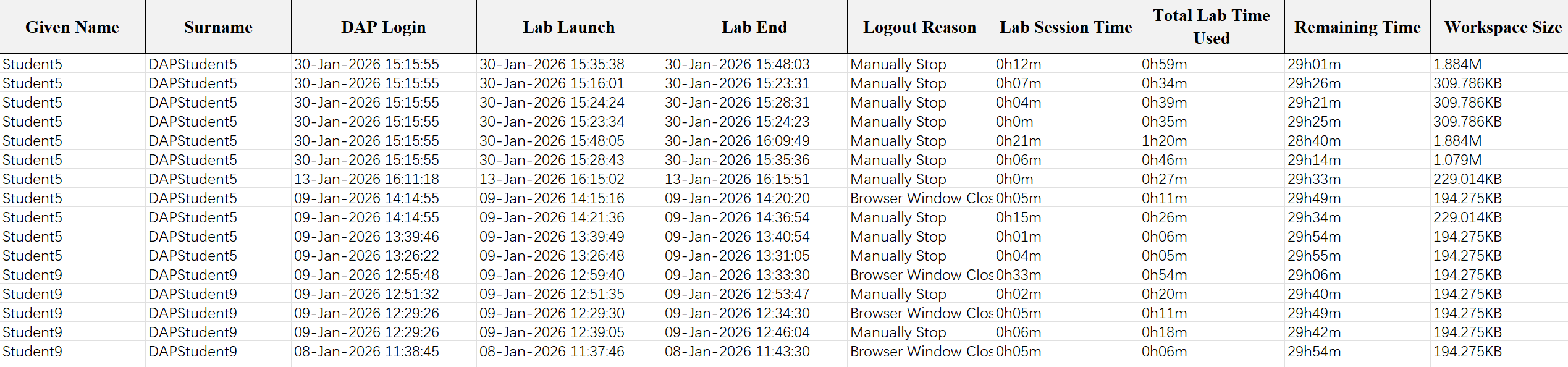
Monitor Student Lab Workspaces
DAP also provides a workspace summary by individual students or groups, depending on the lab mode. Under the “Monitor Lab” tab, you can:
- Oversee the summary of students’ workspaces
- Copy students’ workspaces to your own personal lab to examine their work
- Export (Download) students’ workspaces files
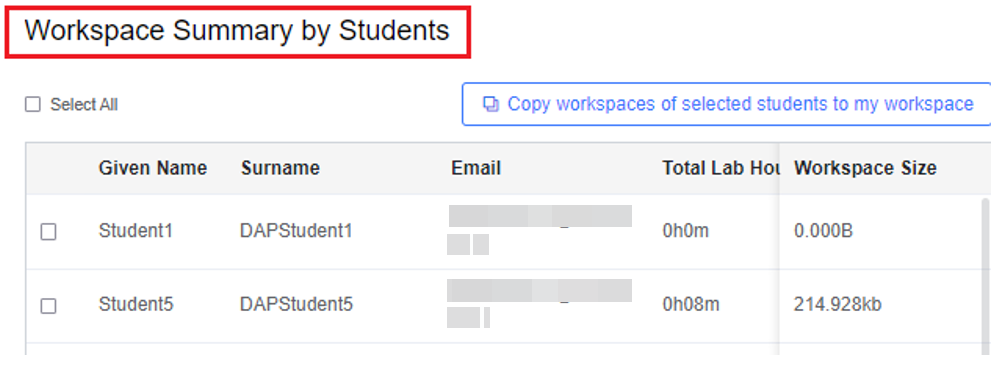
Individual lab mode
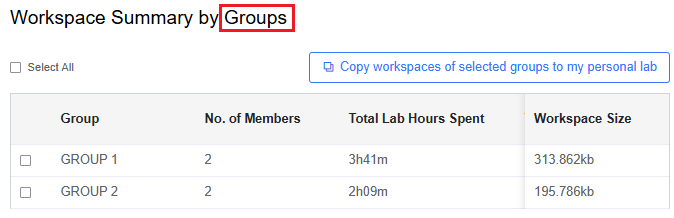
Group lab mode
Here we use Group work mode as an example:
To copy a selected student’s workspace, click Copy workspaces of selected groups to my personal lab. If copied successfully, you will see a popup message.
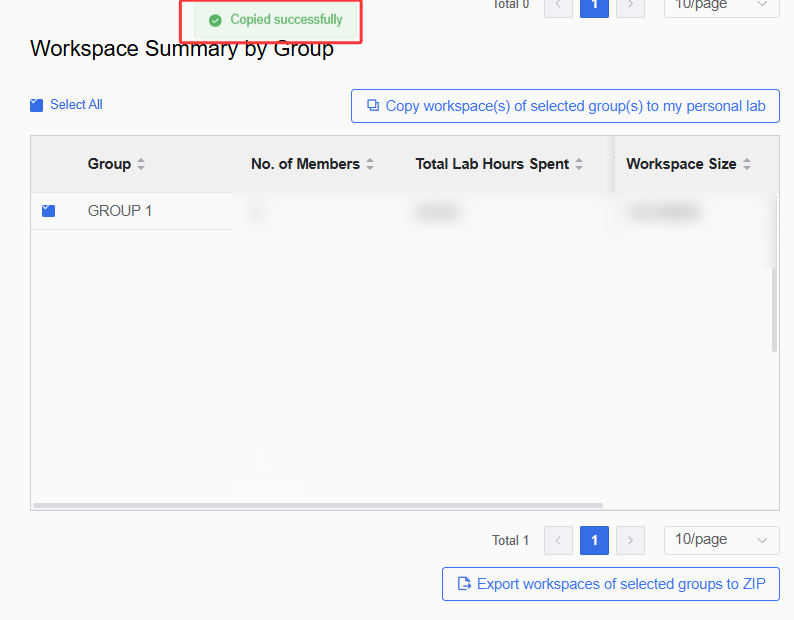
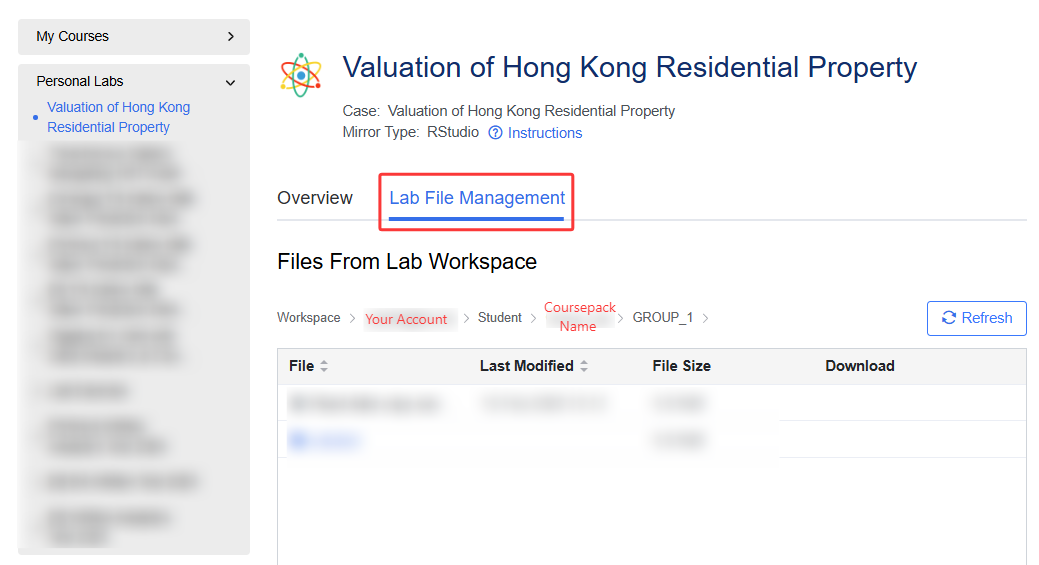
To access the copied workspace content, go to your personal lab under My Library > Subscribed Labs. See More: Access Personal Lab in My Library
To download workspace files, click Export workspaces of selected groups to ZIP. The files of your selected students/groups will be saved as a ZIP archive for further use.
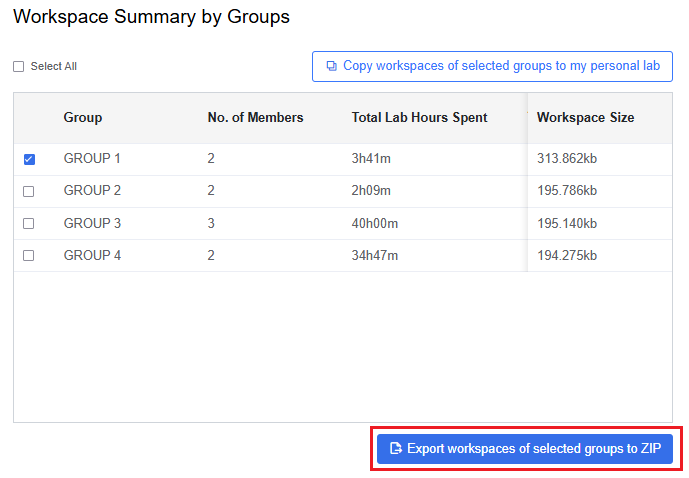
The exported files will be named with the Coursepack name and lab name.
