User Guides
Finalize Enrolment for an Institutional Pay-Later Coursepack
For Institutional Pay‑Later Coursepacks, the finalized enrollment number determines the total billing amount for the order. Any Coursepack instructor, collaborator, or creator can submit a request to the payment administrator to finalize enrollment for payment settlement.
- No new content can be added to the Coursepack.
- No additional students can be enrolled.
- The action cannot be undone after the finalization request is approved.
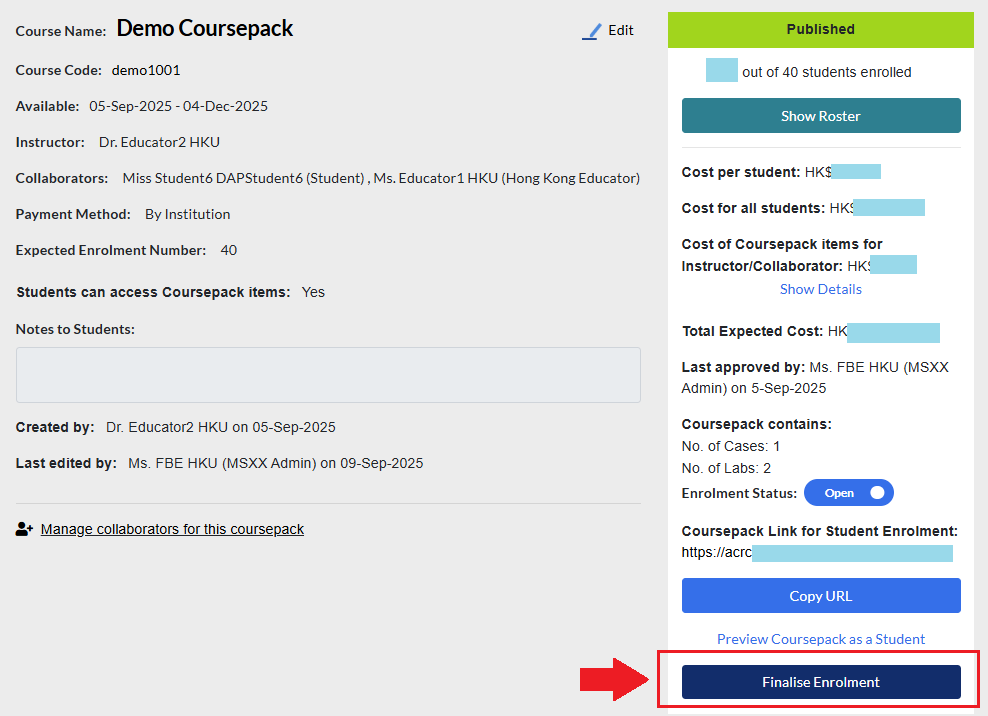
To finalize enrollment, go to the Coursepack page and select Finalise Enrolment.
You will see the basic Coursepack details followed by a student roster table showing whether each student has accessed the Coursepack materials.
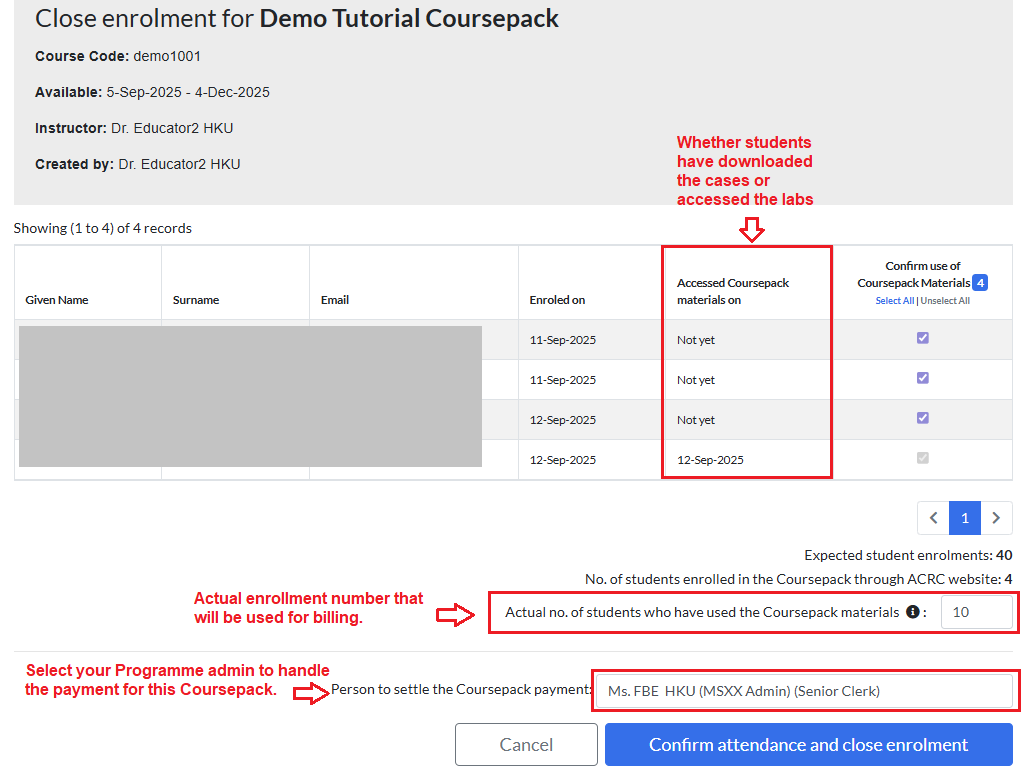
The table provides a quick summary of student activity.
You can check boxes to view counts of students who accessed specific materials; these figures are for your reference only.
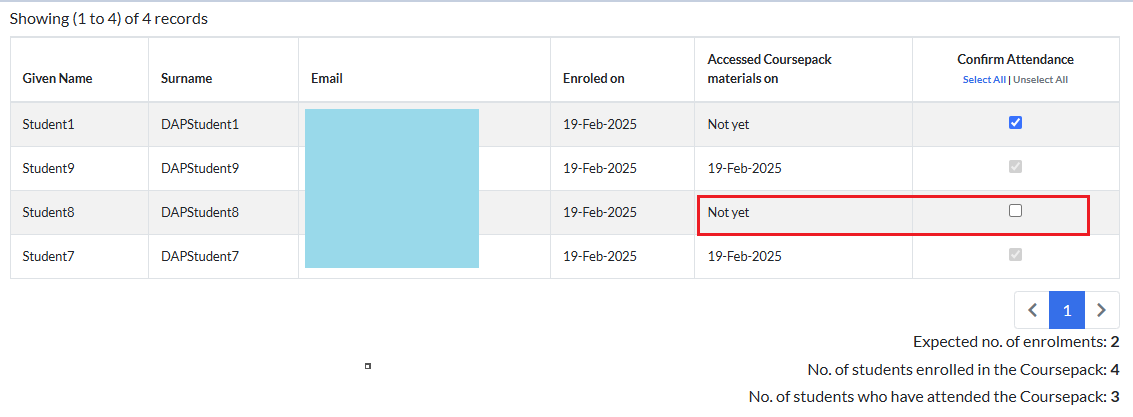
To finalize enrollment, enter the number of students in the Actual No. of Students Who Have Used the Coursepack Materials field. This field defaults to the expected enrollment but can be updated to reflect the actual count.
The finalized number determines the billing amount and cannot be lower than the number of students already recorded as having accessed the materials.

Next, click the Person to Settle the Coursepack Payment field to open a dropdown list of payment administrators within your institution.
Select the administrator for your Programme or department, then click Confirm Attendance and Close Enrollment to submit the finalization request.

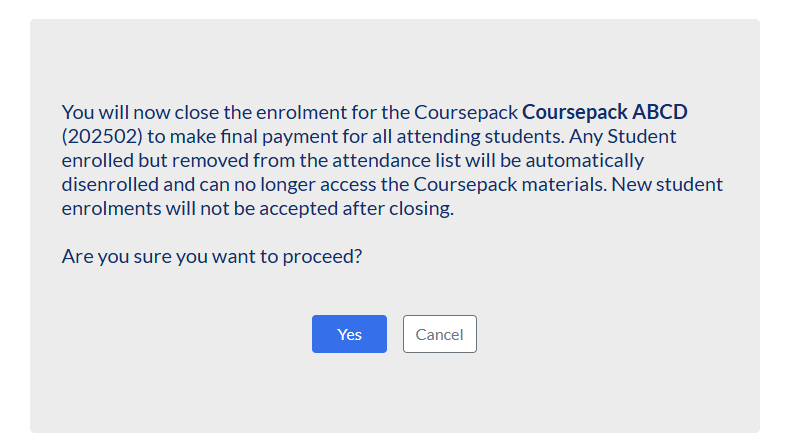
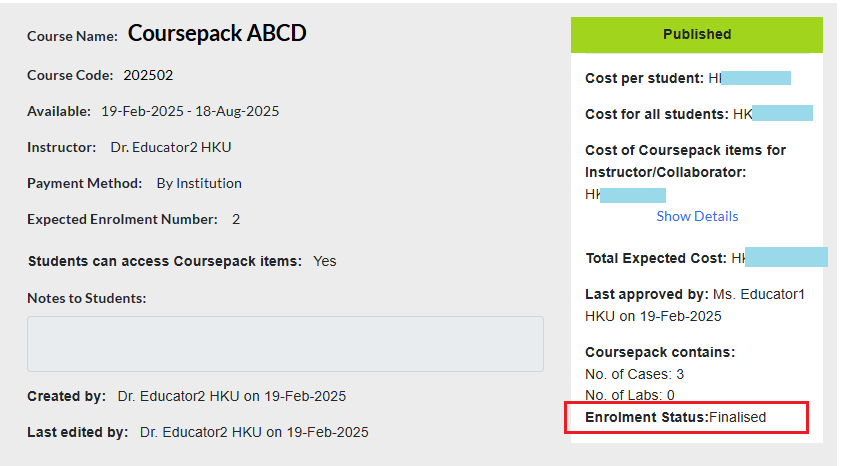
Click Yes, and the enrollment status will be updated to Finalised.
From this point onward, the designated payment administrator will handle the processing of the Coursepack order payment.