User Guides
Register as an Educator
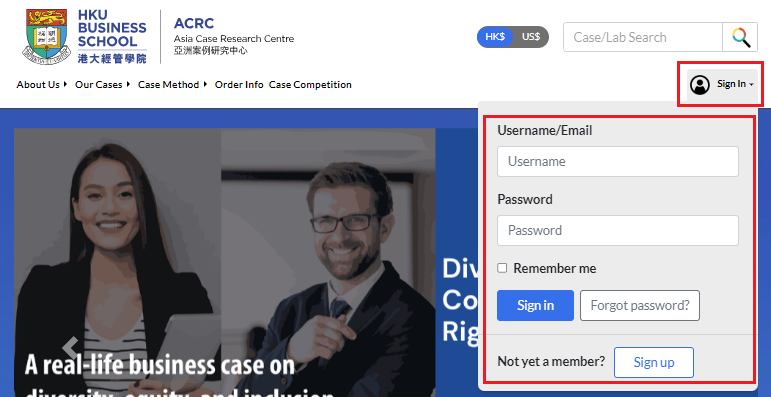
To register for an Educator account, you need to sign up and wait for ACRC administrator’s approval. Open the Sign In dropdown menu and click Sign Up.

For Account Type, select Hong Kong Educator or International Educator based on the country or region of your institution.
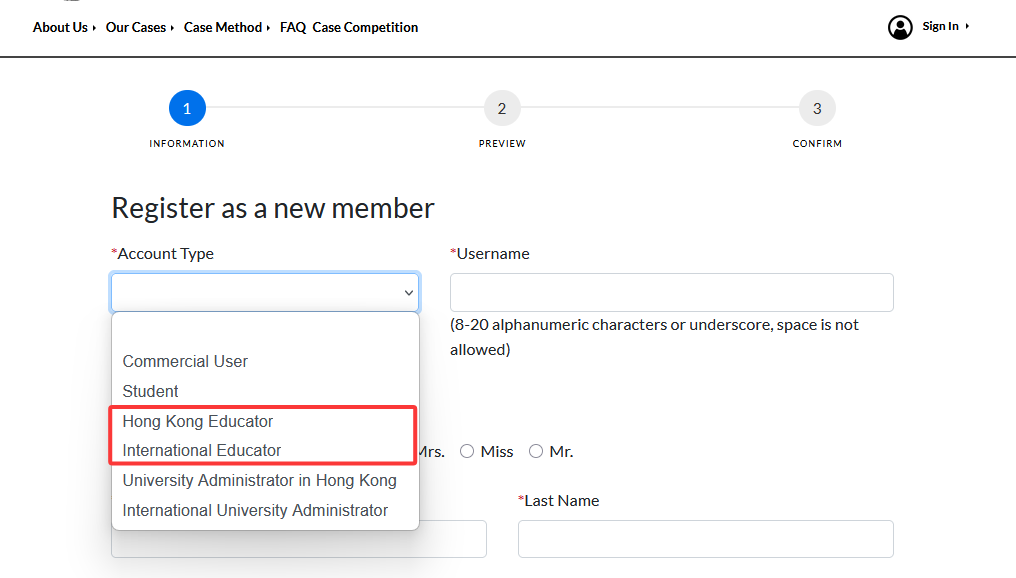
Then fill in the rest of the registration form. Fields marked with an asterisk (*) are mandatory.

⚠You should use your institutional email address to register your account.
For example:

⚠Next, select the correct institution name. This is essential to ensure proper access to your future Coursepacks and other academic resources.
Take The University of Hong Kong as an example:
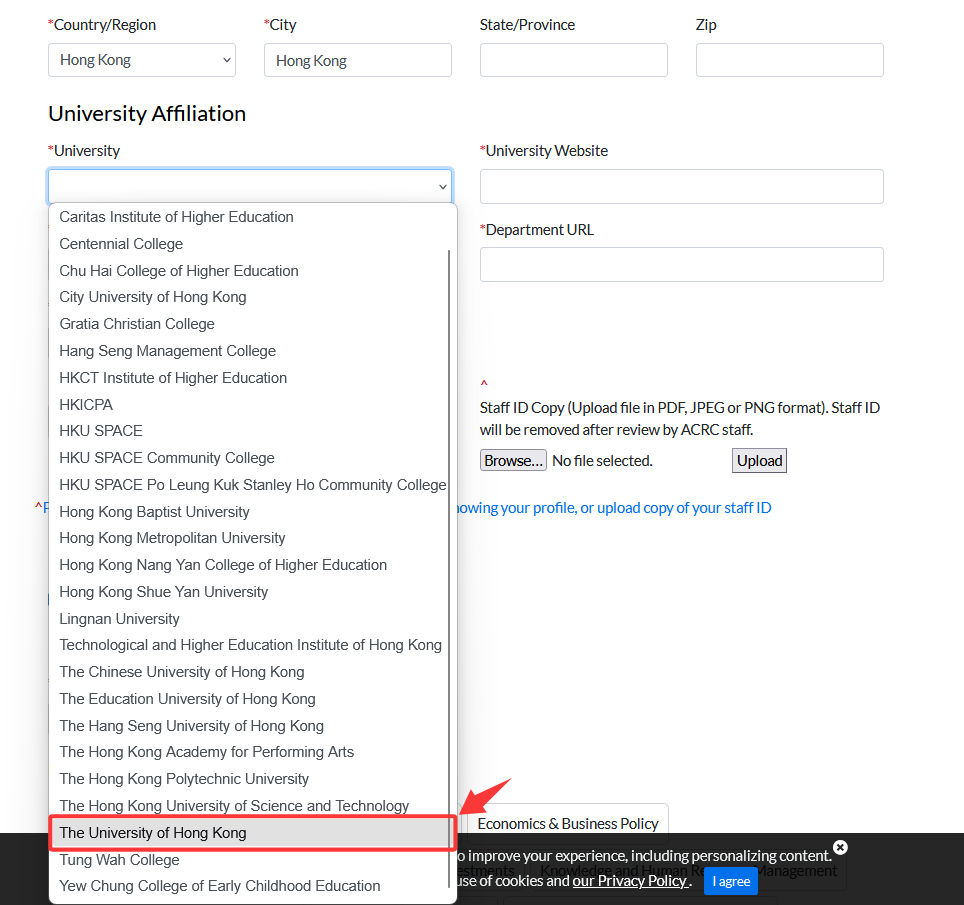
For educator identity verification, please provide either the full link to your profile page in your institution’s faculty directory or upload a copy of your staff ID. This information is necessary for administrators to confirm your educator status and approve your account application.

Once finished, click Preview to verify before submission.


Click Submit Application to complete the sign-up process.

Once you submit your account application, it will be reviewed by an ACRC administrator. After your application is approved, you will receive an email notification with further instructions to complete your registration.
You can then log in via the Sign In dropdown menu.
To edit your profile, sign in and find Update Profile in the profile dropdown menu.

You can update your information by clicking Edit in each section. After making changes, click Save at the bottom of the section to submit your updates.
