User Guides
Purchase a Case for Personal Use
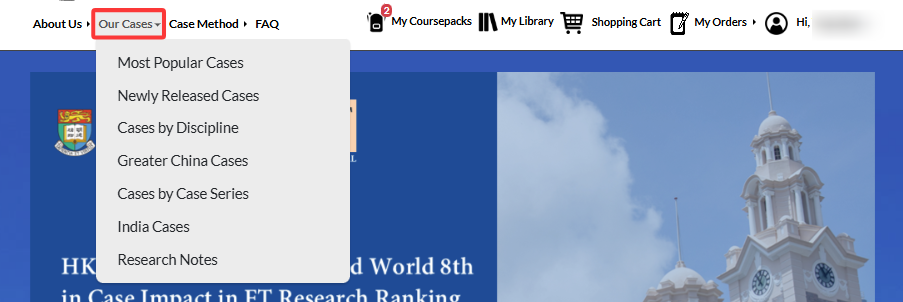
To do this, log in with your ACRC account and either search for a specific case you are interested in or browse available cases under Our Cases.
Click the Case title to go to the details page.

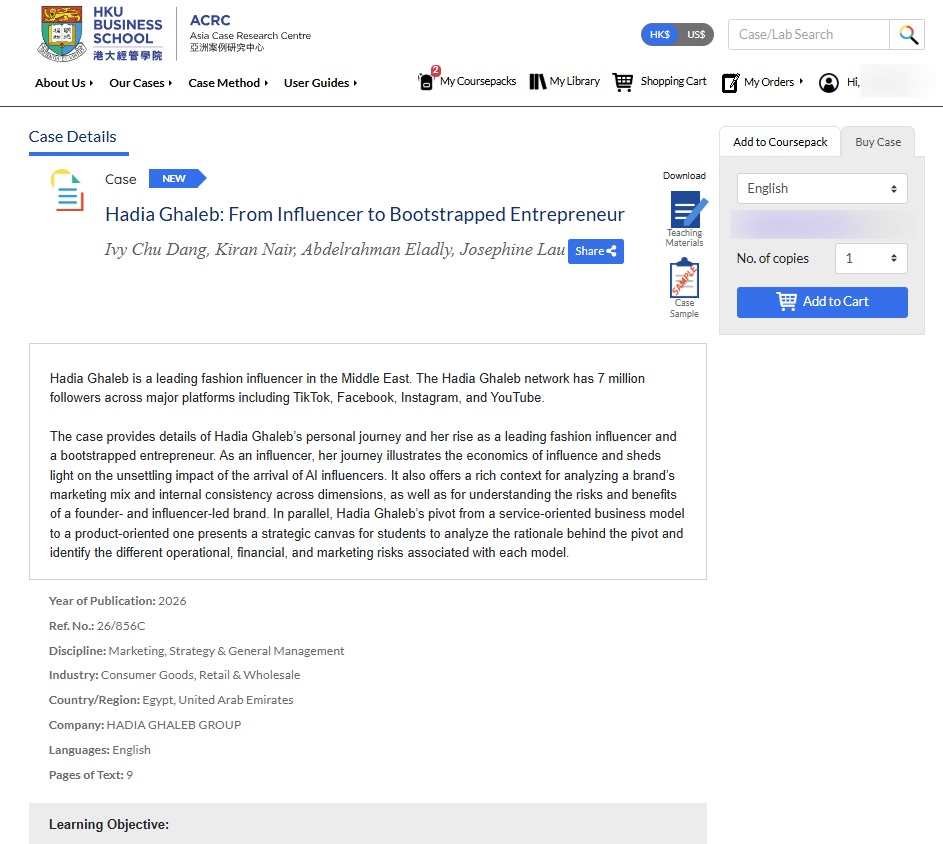
On the Case Details page, you will see key information about the case, including the title, authors, synopsis, case features, and learning objectives.
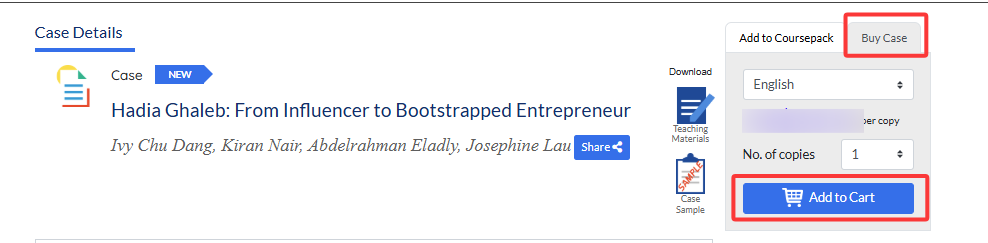
To buy this case, first verify the language version, as some cases offer multiple language options. Once you’ve selected the correct version, click Add to Cart.
A message will pop up:

You can then continue browsing for other cases, and when you’re ready to check out, go to Shopping Cart.
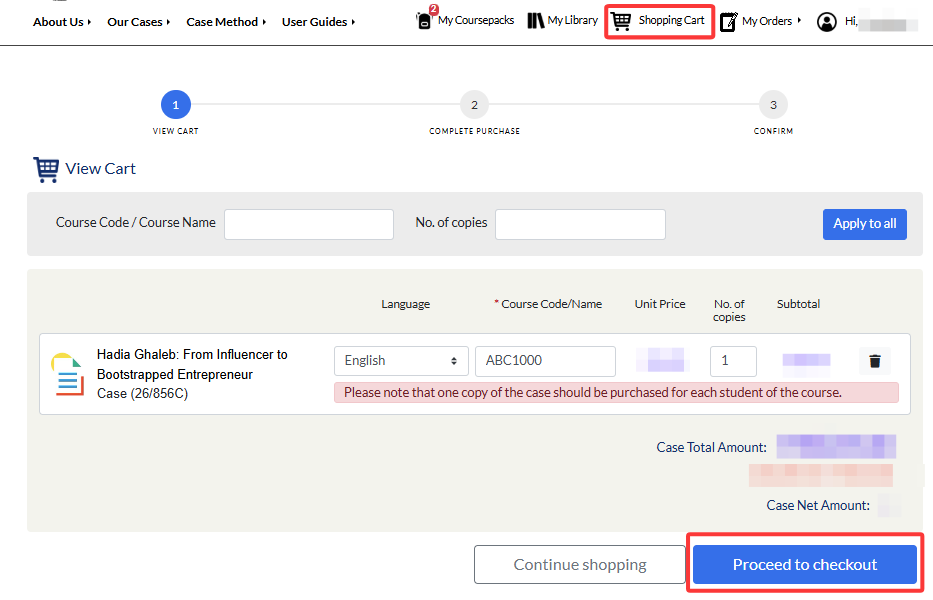
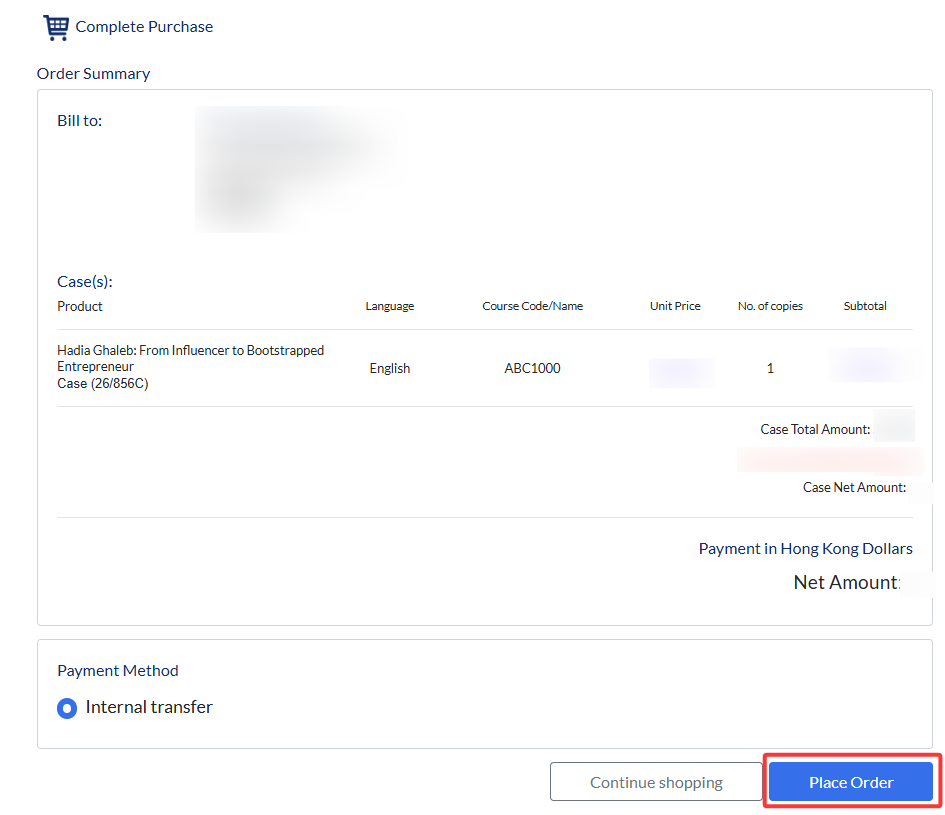
Click Proceed to Checkout. Review the product information, select your preferred payment method, and then click Place Order to complete your purchase.
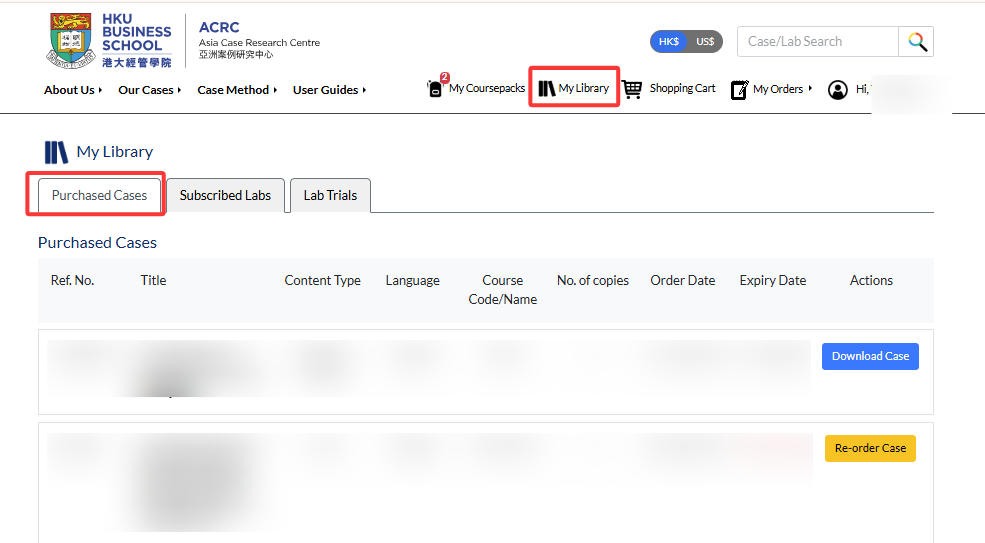
Upon successful payment, you will see the confirmation message shown below. Go to My Library to download your case. All cases you have purchased will be listed there.

Active cases (those still within their license period) are available for download. For historical purchases that have expired, you will see an option to re‑order the case.