User Guides
Switch to TA View
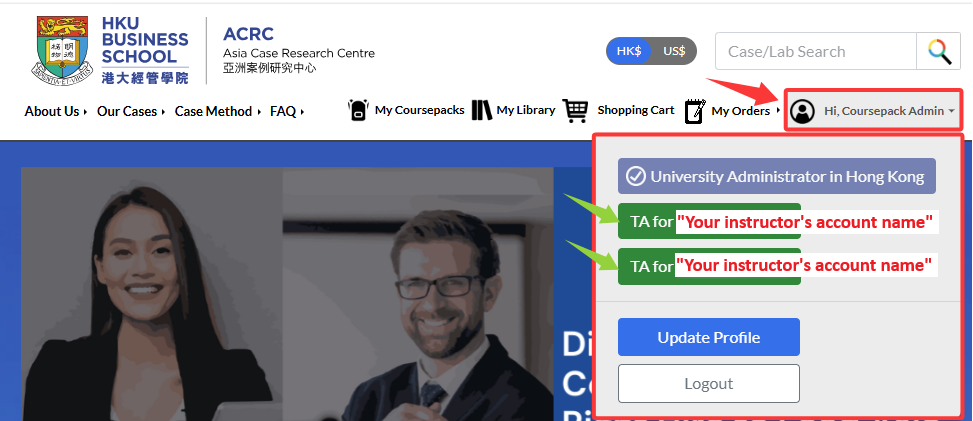
Log in to the ACRC website, then open the profile dropdown menu.
From there, select the educator whom you want to assist with. This switches you to the view where you act as the instructor’s teaching assistant.
A banner will appear, as shown below, confirming that you have switched to the instructor’s TA role.

You can switch back to your own view at any time from the same dropdown menu.
NOTE: When you switch to TA View, the My Library page displays your instructor’s library, not your own. All items you see in My Library belong to the instructor, and any case you download from this page will show the instructor’s name as the owner.
